
CPI Adjustment
The Balance interface has a standard Consumer Price Index (CPI) Utility that can be configured to create automatic inflation adjustments. The inflation adjustments will impact funds historical gift values but will not impact market value or the cash reconciliation within Balance. This can be set up to apply to all funds or a subset of funds. Please note that if your organization has an underwater rule, this may limit funds from spending. This article will explain how the inflation adjustment is created within Balance.
Updating the CPI Percentage
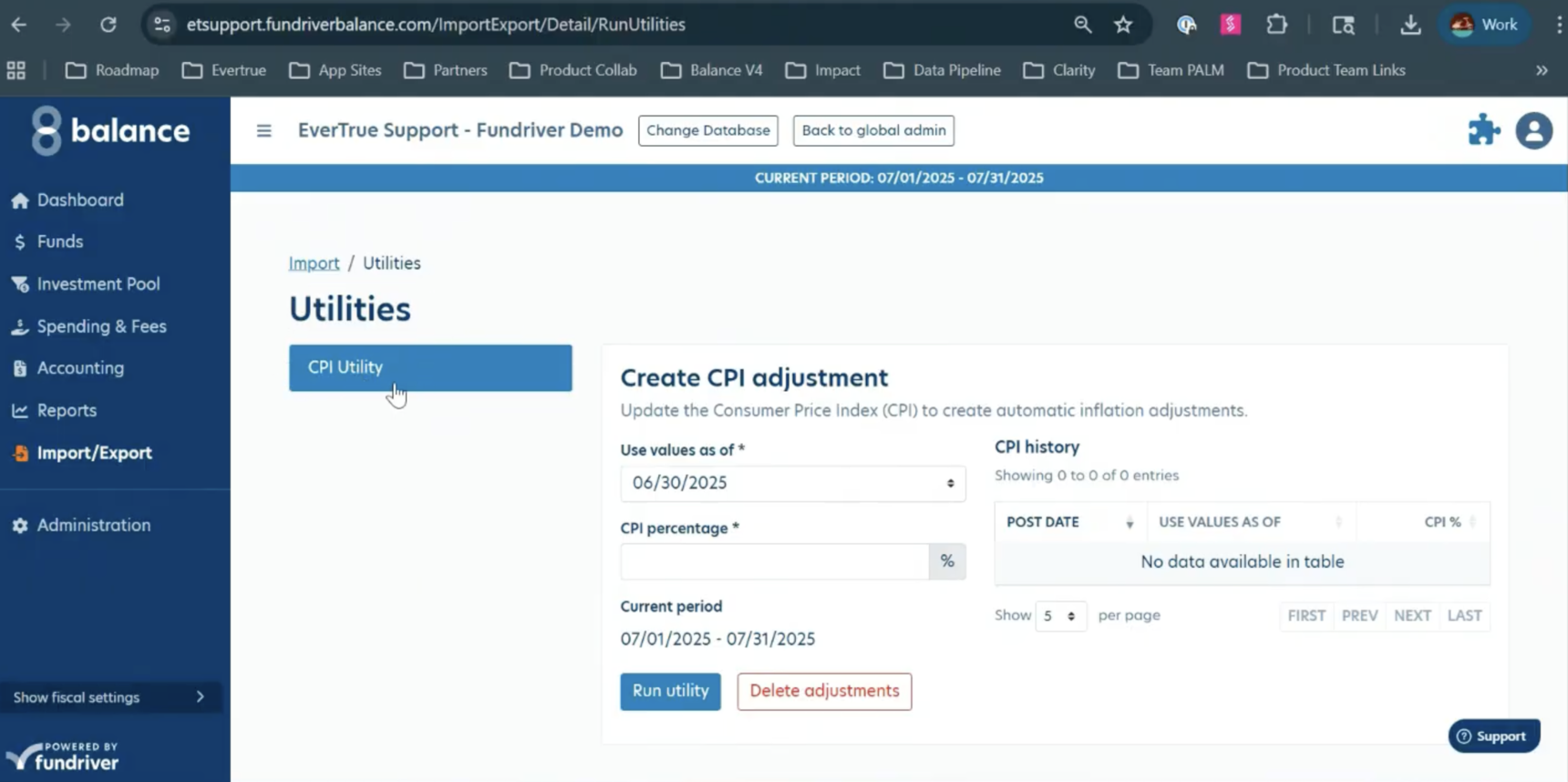
Go to Import/Export, then click "Run Utilities" in the top right corner
1. Choose the desired Value Date.
2. Enter the CPI Percentage as a whole number, the program will convert it to a percentage.
The post date will default to the date of the current/open period.
3. Click "Run Utility" to save your adjustment. If successful, you will see the update in the "CPI History" box on the right hand side of your screen.
The post date will default to the date of the current/open period.
Deleting CPI Adjustments
If you need to reopen a period, you are able to delete previously processed CPI transactions by using the "Delete Adjustments" button. If successful, you will see the update in the "CPI History" box on the right hand side of your screen.
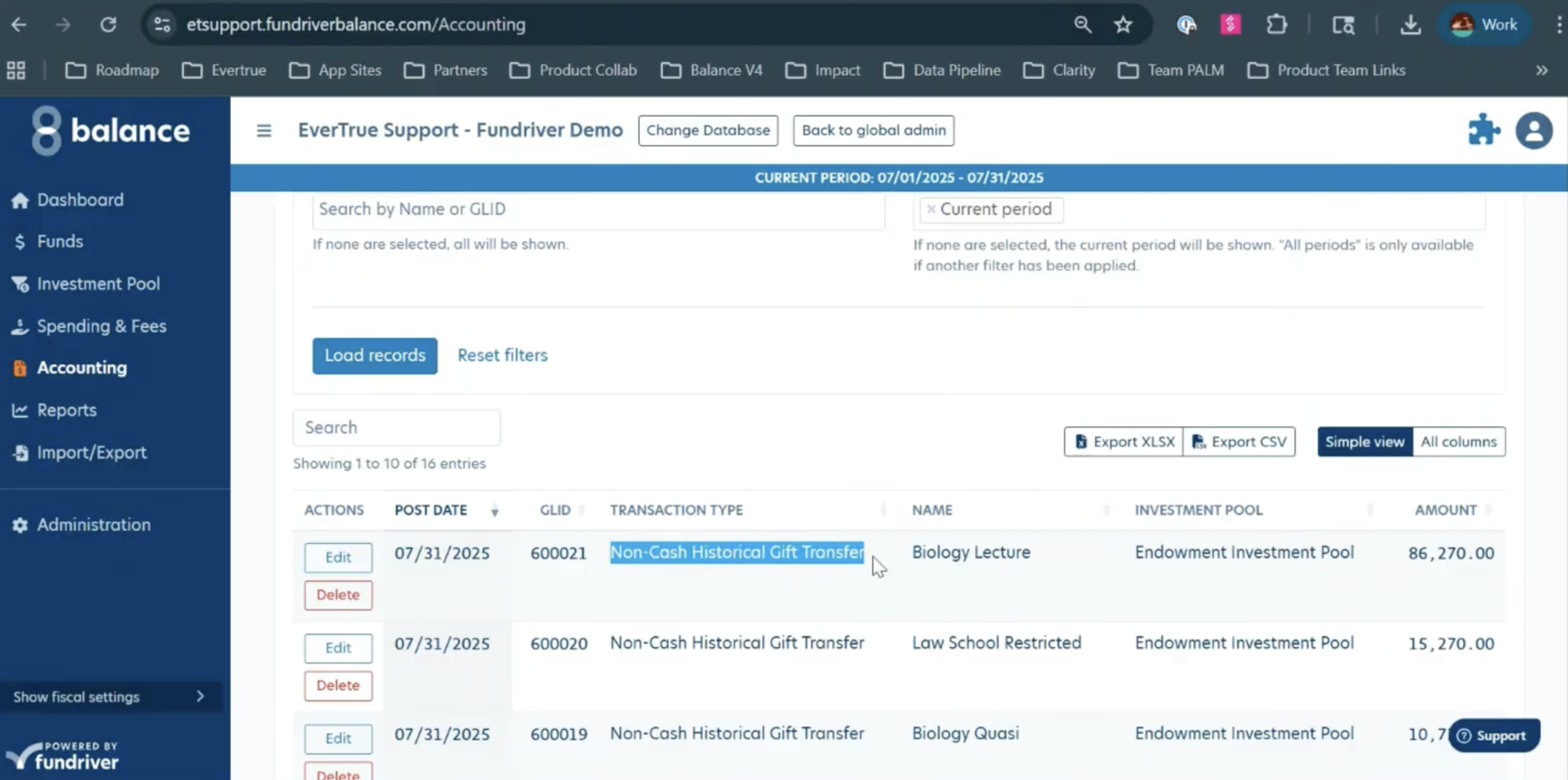
If you go to the "Activity" tab, you can see that the entries have been created and entered from the CPI Utility. If you delete these adjustments, these entries will be removed.
Reply
Content aside
- 8 mths agoLast active
- 33Views
-
1
Following