
Release Notes: June 10, 2026
What's New in Balance
|
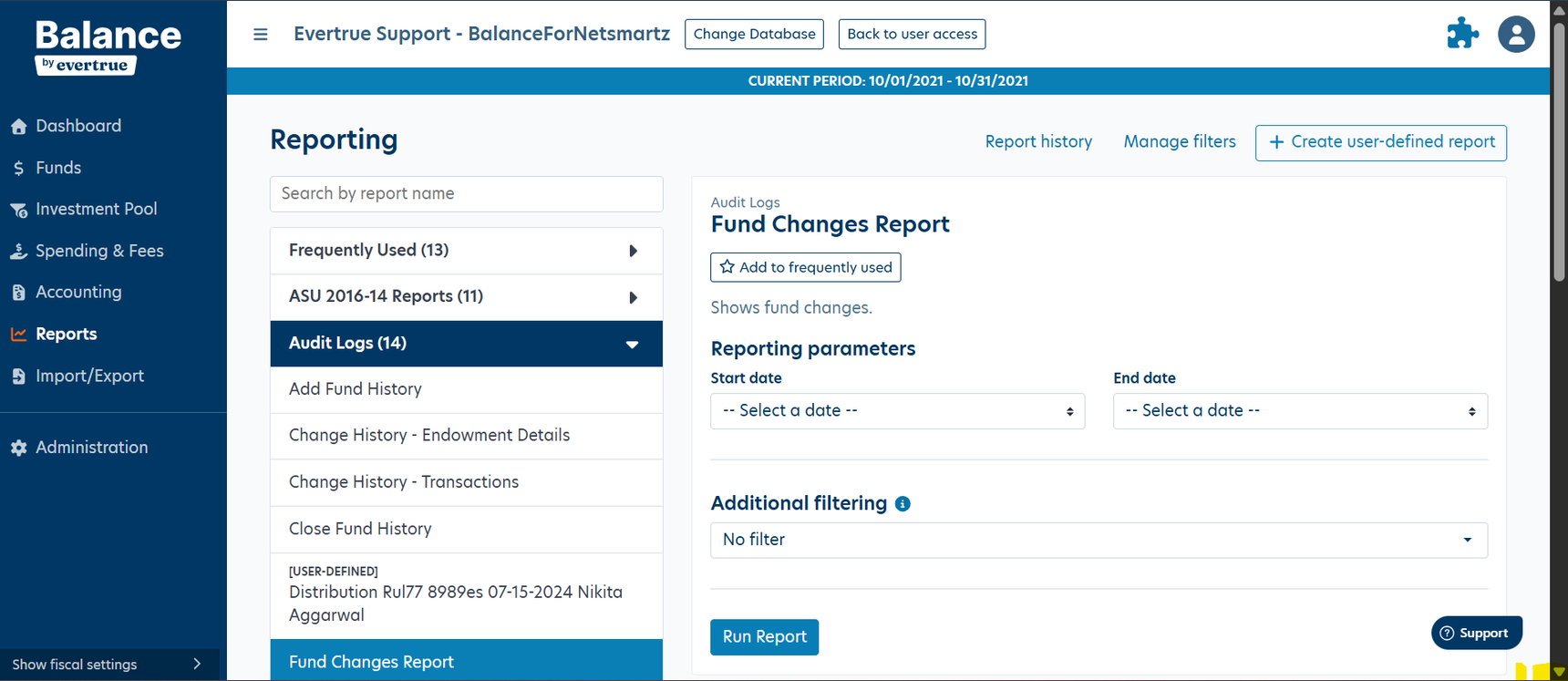
Fund Changes Report (NEW)
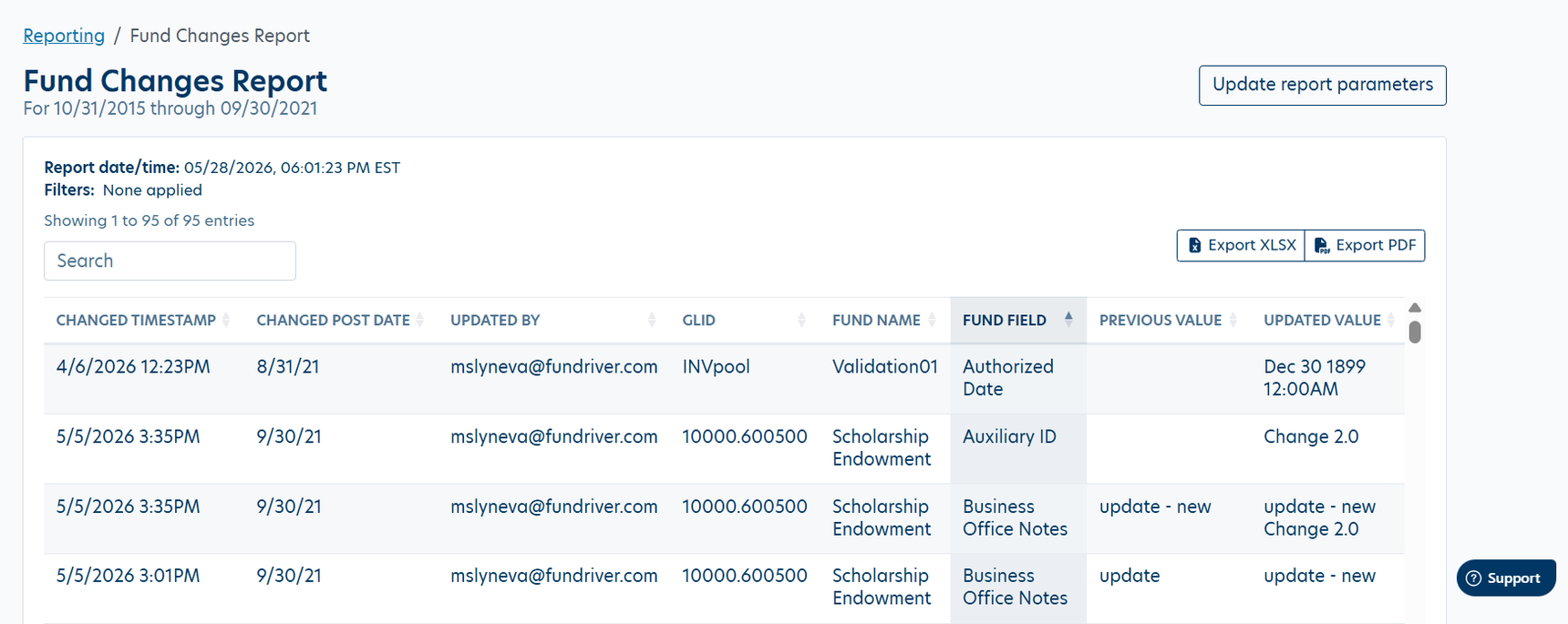
The Fund Changes Report is a new interactive report that provides a complete, timestamped record of every change to fund attributes in your system. Whether you're auditing a specific fund, tracking who changed a field and when, or preparing documentation for a review, this report surfaces that history in one place.
WHAT IT TRACKS
Changes to fund attributes (name, status, type, restrictions, and other configurable fields)
Timestamp of each change, recorded at the system level
The previous and updated values for each modified attribute
The user who made the change, including changes originating from data imports
HOW TO USE IT
Sort — click any column header to sort ascending or descending. Useful for isolating recent changes or drilling into a specific field type.
Search — filter across the report by fund name, attribute name, changed value, or user without leaving the report view.
Export — download the full result set to XLSX or PDF for offline review, audit submissions, or record-keeping. Exports reflect any active sort or search you've applied.
WHERE TO FIND |
Reporting › Audit Logs › Fund Changes |
UDR "Break on Groups" (RESTORED)
The Break on Groups option has been restored to User Defined Reports (UDR). This setting was available in the legacy Balance experience and controls how grouped reports paginate when exported to XLSX or PDF.
WHAT IT DOES
When Break on Groups is enabled, each group in a grouped UDR export starts on a new page. This is particularly useful for reports distributed to fund advisors or department heads, where each recipient should see only their group, or for printed reports where visual separation between groups is required.
Each group begins on its own page in the exported file
Works with any grouping configuration in UDR
Applies to both XLSX and PDF export formats
Does not affect the on-screen report, only changes export pagination
WHERE TO FIND |
Reporting › User Defined Reports › Create User-Defined Report › Break on Groups |
Note: Break on Groups is only available on reports with at least one active group configured. The option will be unavailable if no grouping has been applied to the report. |
Content aside
- 3 mths agoLast active
- 58Views
-
1
Following