
Linking Expendable and Endowed Funds
A link between funds needs to be established when the spending distribution from an endowed fund should be posted as revenue to a related expendable fund. Creating this link will allow this process to happen automatically and seamlessly within your database when using the automated distribution function.
First, make sure that both funds have been established in Balance. To create new endowed and expendable funds, see this article: How Do I Add a Fund?
Once both funds are established, you can create a link that will automatically transfer the calculated spending amount from the endowed to the expendable fund.
Linking Expendable and Endowed Funds
To link the funds, add a spending rule exception to your endowed fund.
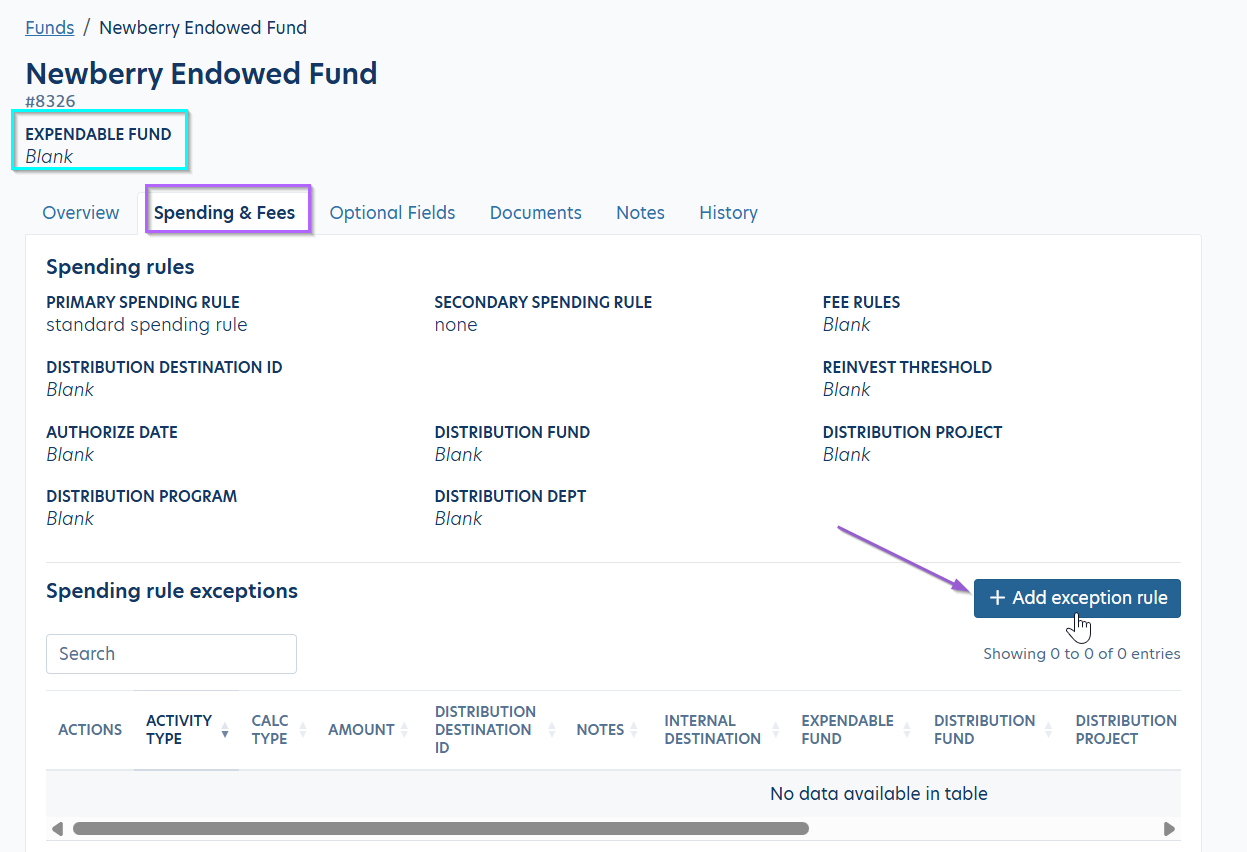
- Navigate to Funds and search for your endowed fund. Click into the fund profile and flip to the Spending & Fees tab. You’ll notice the Expendable Fund link under the fund name is blank.
- Click the ‘Add exception rule’ button.
- Select the Activity type, Calculation type, and Amount. Then use the Expendable fund field to add your expendable fund by GLID or fund name. Below is an example of a spending rule exception set to transfer the full distribution amount to the expendable fund.
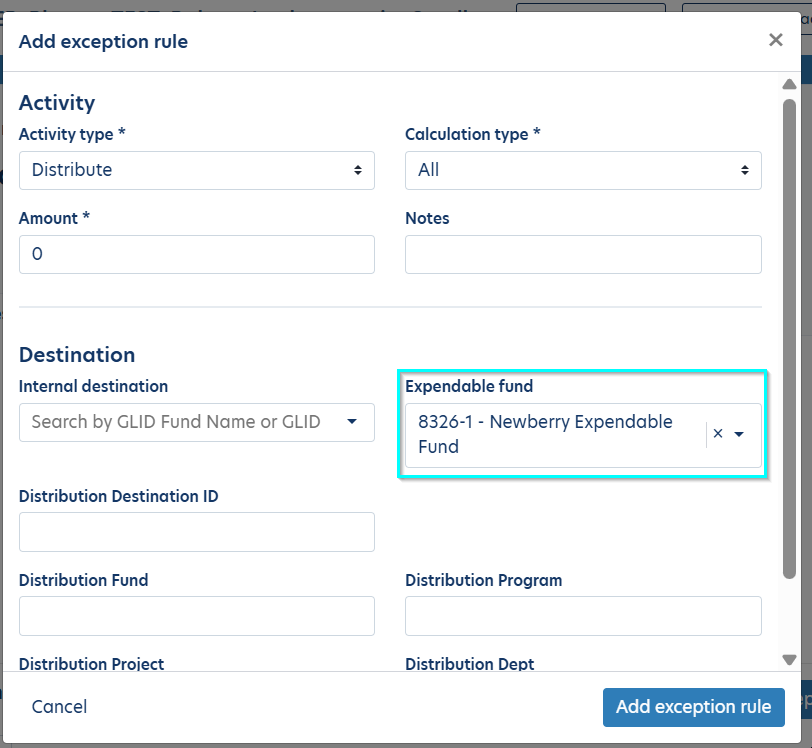
The Activity type, Calculation type, and Amount may vary, depending on how you want the expendable portion of the distribution to be calculated. Some additional examples are listed towards the end of this article.
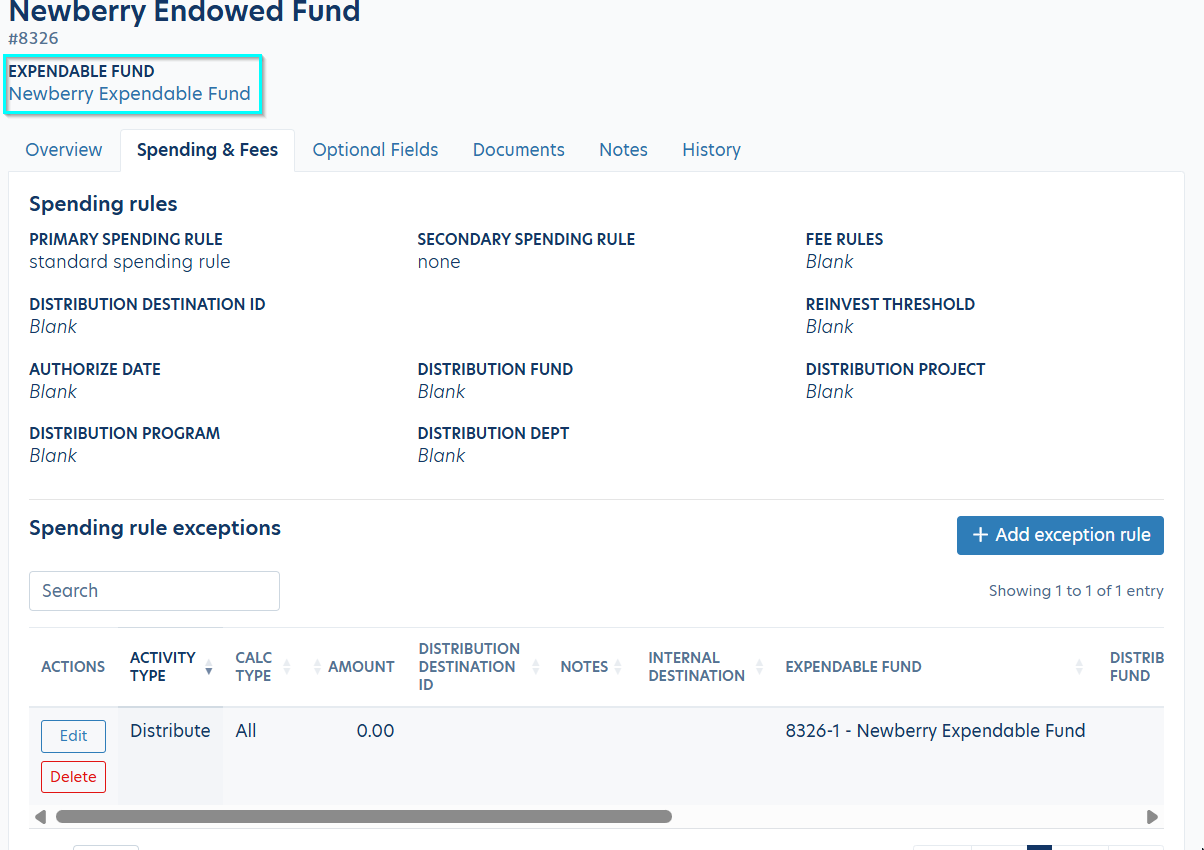
- Click 'Add exception rule' when you're done to save the spending rule exception.
- You'll now see the linked expendable fund below the endowed fund name on the fund profile page.
Linking Multiple Expendable Funds in Bulk
You can use the Spending Rule Exceptions import to link endowed and expendable funds in bulk. Please see this article for instructions: How Do I Enter Spending Rule Exceptions (Distribution Rules) in Balance via an Import?
Other Examples
Reinvesting Portion of Distribution
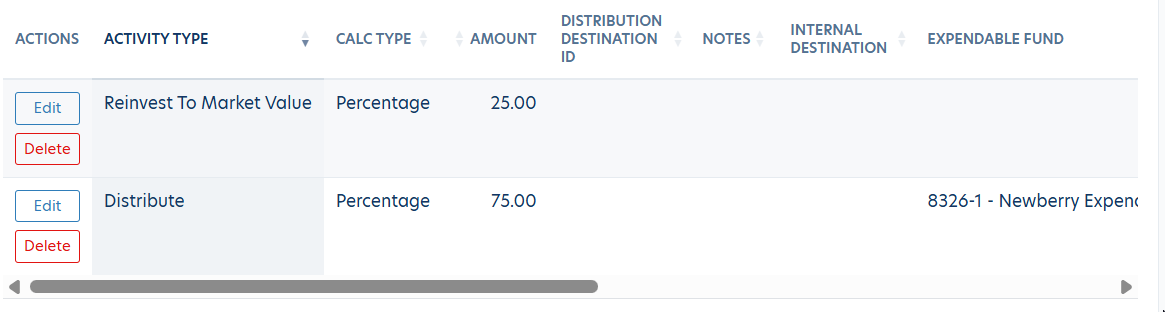
In this example, we are directing 25% of the total distribution amount to be reinvested back into the market value of the endowed fund. We are then sending the remaining 75% to the linked expendable fund.
Distributing a Fixed Amount
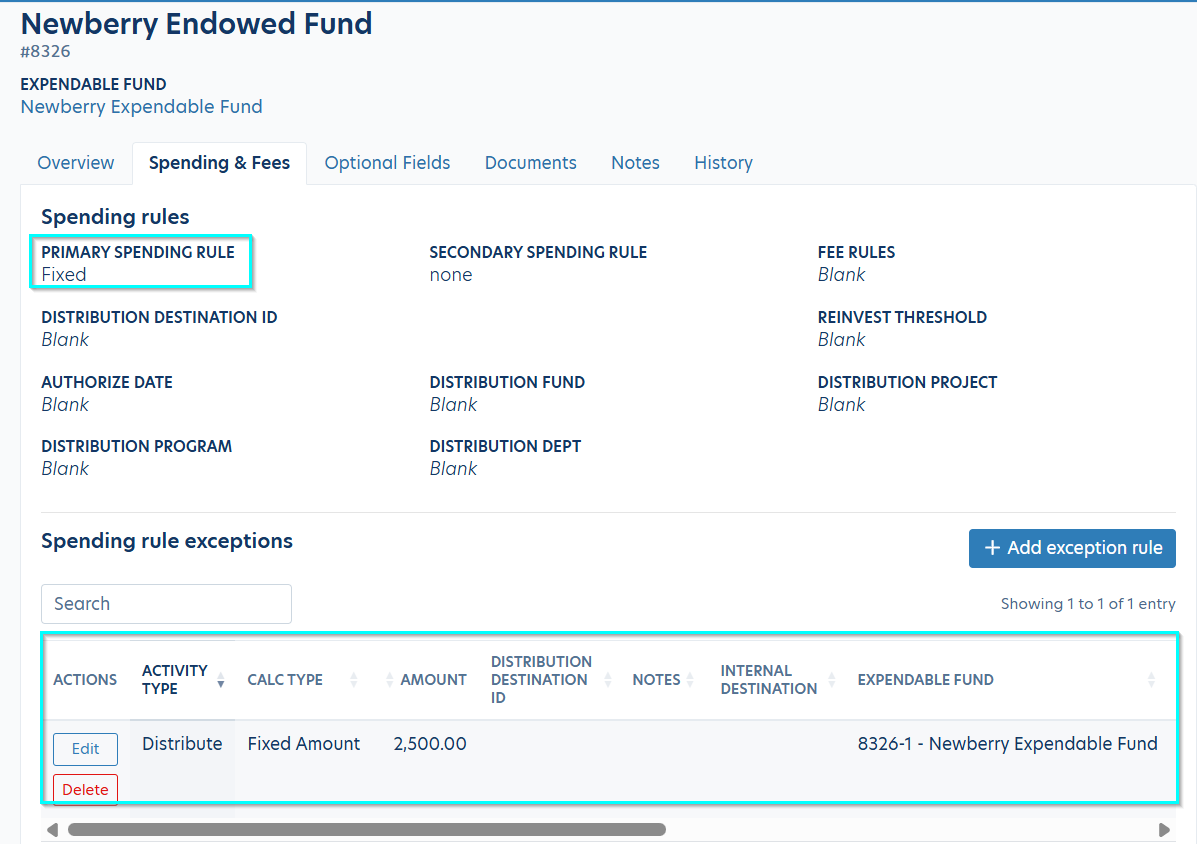
In this example, we are distributing a fixed amount to the expendable fund. This requires the fund to be assigned to a Fixed spending rule type.
For more examples on setting up spending rule exceptions, please see: How Do I Set Up Spending Rule Exceptions (Distribution Rules) Manually?
Reply
Content aside
- 2 mths agoLast active
- 31Views
-
1
Following